HEX to CMYK Converter Online Free
HEX: –
RGB: –
CMYK: –
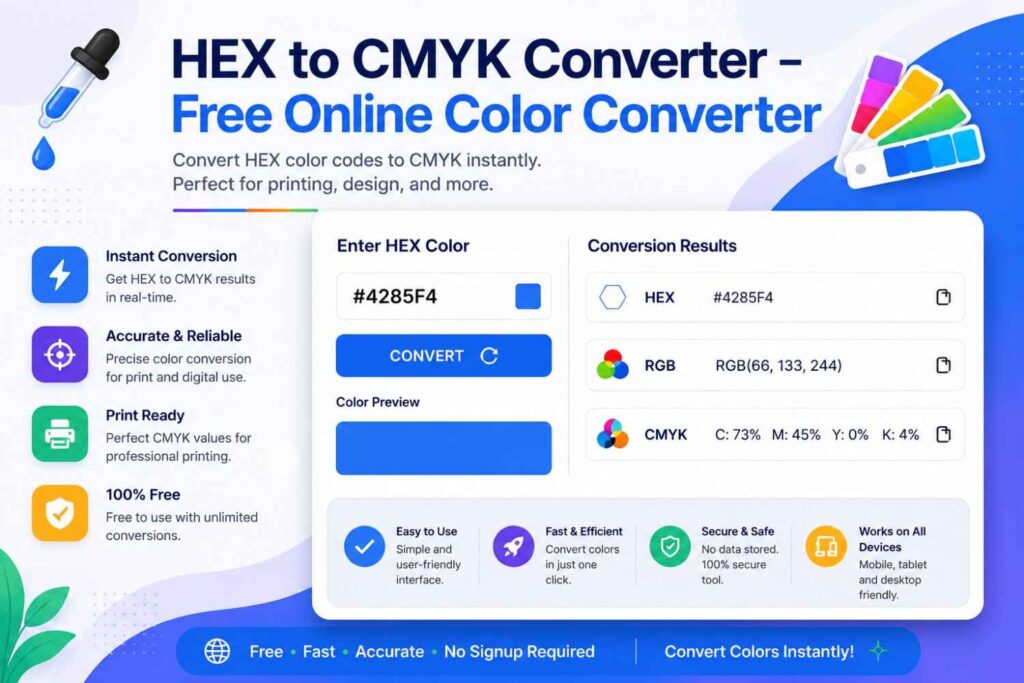
Every color matters, especially when your design is going to print. A color that looks bright and vibrant on your screen can appear completely different on paper. That’s why converting HEX to CMYK correctly is essential for business cards, brochures, packaging, posters, magazines, product labels, and other printed materials. Our free HEX to CMYK Converter helps you convert any HEX color code to CMYK instantly with accurate results. Simply enter your HEX value, click convert, and get the matching CMYK, RGB, and HEX color values in seconds. No software, downloads, or design experience is required. Whether you’re a graphic designer, print professional, marketer, student, or website owner, this tool makes color conversion fast, simple, and reliable.
Unlike many online converters that only display basic values, our tool is designed to help you make better printing decisions. It uses accurate color conversion to reduce unexpected color shifts and gives you the information needed for professional print projects. You can use it before sending files to a commercial printer or while working in Adobe Photoshop, Illustrator, InDesign, Canva, Figma, or other design software. On this page, you’ll also learn the difference between HEX, RGB, and CMYK, why printed colors sometimes look different from digital colors, and how to choose the right color format for your project. If you need the best HEX to CMYK Converter Online, this guide and tool provide everything you need in one place.
Check More : Pick Colors from Image – Free HEX, RGB & Color Codes
What Is a HEX to CMYK Converter?
A HEX to CMYK Converter is an online tool that changes a HEX color code into its matching CMYK color values. This conversion is essential when moving a design from a digital screen to a printed product. While HEX colors are designed for websites, mobile apps, and digital interfaces, CMYK colors are created for printers that use cyan, magenta, yellow, and black ink. Whether you’re designing a business card, brochure, product label, poster, magazine, or packaging, converting HEX to CMYK helps produce colors that are closer to the final printed result. Our converter instantly calculates accurate CMYK values and also displays the corresponding RGB values, making it a useful tool for designers, marketers, print shops, and anyone working with digital and print media.
What Is a HEX Color Code?
A HEX color code is a six-digit code used to represent colors on digital screens. It always begins with a # symbol followed by six letters or numbers.
Examples include:
- #FFFFFF — White
- #000000 — Black
- #FF0000 — Red
- #4285F4 — Blue
HEX colors are based on the RGB (Red, Green, Blue) color model, where light is combined to create millions of colors. They are widely used in HTML, CSS, JavaScript, website design, mobile applications, and UI/UX design because they provide consistent digital color representation.
What Is CMYK?
CMYK stands for Cyan, Magenta, Yellow, and Key (Black). It is the standard color model used by commercial printers and printing presses. Instead of creating colors with light like RGB or HEX, CMYK creates colors by mixing different percentages of ink. For example, a color might be printed as:
- Cyan: 70%
- Magenta: 25%
- Yellow: 0%
- Black: 10%
This color model is used for business cards, brochures, flyers, books, magazines, packaging, stickers, banners, and nearly every professionally printed product.
Why Designers Convert HEX to CMYK
Graphic designers often begin projects using HEX or RGB colors because they work on digital screens. However, before sending artwork to print, those colors must be converted to CMYK to achieve the closest possible printed result. Using CMYK helps reduce unexpected color shifts during printing, improves consistency across different print materials, and ensures brand colors remain as accurate as possible. This is especially important for logos, marketing materials, product packaging, and corporate branding, where color accuracy directly affects brand recognition.
Why Printers Require CMYK Instead of HEXREM to PX Converter Online : REM to PIXELS
Commercial printers cannot print HEX colors directly because printing uses ink rather than light. HEX codes only describe colors for digital displays, while printers require CMYK values to determine how much cyan, magenta, yellow, and black ink should be applied to paper. If you send a print file that only contains HEX or RGB colors, the printer will usually convert those colors automatically. Automatic conversions can sometimes produce dull, darker, or slightly different colors than expected. Converting your HEX colors to CMYK before printing gives you more control over the final output and helps create professional, consistent results across business cards, packaging, brochures, posters, and other printed materials.
How to Use the HEX to CMYK Converter
Convert any HEX color code into accurate CMYK values in seconds. Simply follow these five easy steps to prepare colors for websites, branding, Adobe software, and professional printing.
Enter Your HEX Color Code
Paste or type the HEX color you want to convert. You can copy a HEX code from your website, logo, brand guidelines, CSS file, or design software.
Click the Convert Button
Click Convert and the tool instantly calculates the correct CMYK values using professional color conversion formulas.
View Your Color Values
The converter immediately displays all major color formats, making it easy to use your color in web design, digital graphics, or print projects.
HEX
#4285F4
RGB
66,133,244
CMYK
73,45,0,4
Copy Any Color Value
Copy the generated HEX, RGB, or CMYK value with one click and paste it directly into your CSS, Adobe project, design software, or print file.
Use the Converted Color Anywhere
Your converted color is now ready to use in professional design and printing applications.
HEX vs RGB vs CMYK
Choosing the correct color format is important for websites, mobile apps, graphic design, and professional printing. Compare the differences between HEX, RGB, and CMYK below.
| Feature | HEX | RGB | CMYK |
|---|---|---|---|
| Full Name | Hexadecimal | Red, Green, Blue | Cyan, Magenta, Yellow, Black |
| Main Purpose | Web Design | Digital Screens | Professional Printing |
| Used For | HTML, CSS, JavaScript | Monitors, TVs, Phones | Printers & Printing Presses |
| Creates Colors Using | RGB Values | Light | Ink |
| Typical Example | #4285F4 | RGB (66,133,244) | C:73 M:45 Y:0 K:4 |
| Supports Websites | ✔ Yes | ✔ Yes | ✖ No |
| Supports Printing | ✖ No | ✖ No | ✔ Yes |
| Best For | Web Development | Digital Design | Commercial Printing |
| Common Users | Web Developers | UI/UX Designers | Graphic Designers & Print Shops |
| Software | VS Code, Browsers | Photoshop, Figma | Illustrator, InDesign, Printing Software |
💡 Which Color Format Should You Use?
Use HEX when creating websites and writing CSS. Choose RGB for digital graphics, social media posts, mobile apps, and user interfaces. Select CMYK whenever you’re designing brochures, business cards, flyers, packaging, posters, magazines, or any project that will be professionally printed.
Why Use Our HEX to CMYK Converter?
Whether you’re designing a website, creating marketing materials, or preparing artwork for professional printing, our HEX to CMYK Converter delivers fast, accurate, and reliable color conversions. It’s built for graphic designers, web developers, print professionals, students, and anyone who needs precise color values.
Instant Color Conversion
Convert any HEX color code to accurate CMYK values in seconds. No manual calculations or complicated software required.
High Conversion Accuracy
Advanced color conversion ensures reliable CMYK, RGB, and HEX values that are suitable for professional print and digital projects.
Perfect for Printing
Prepare brochures, business cards, flyers, posters, packaging, magazines, labels, and other print-ready designs with confidence.
Works in Any Browser
Use the converter directly from Chrome, Edge, Firefox, Safari, or any modern browser without downloading software or installing plugins.
Desktop & Mobile Friendly
Convert colors on Windows, Mac, Android, iPhone, tablets, and laptops with a fully responsive interface that works anywhere.
One-Click Copy
Copy your HEX, RGB, or CMYK values instantly and paste them into Adobe Photoshop, Illustrator, Figma, Canva, CSS, or your printer settings.
Supports Professional Design Software
Compatible with Adobe Photoshop, Illustrator, InDesign, Figma, Canva, CorelDRAW, Affinity Designer, and commercial printing workflows.
100% Free to Use
Enjoy unlimited HEX to CMYK conversions without creating an account, paying subscription fees, or downloading desktop software.
Convert HEX to CMYK with Confidence
Our free HEX to CMYK Converter helps you create accurate colors for websites, branding, digital graphics, and commercial printing. Convert your colors instantly, copy the results with one click, and ensure consistent color quality across every design and print project.
HEX to CMYK Converter FAQs
Find answers to the most common questions about converting HEX colors to CMYK, printing, and color formats.
A HEX to CMYK Converter changes a HEX color code into CMYK values for professional printing. It helps designers prepare accurate colors for brochures, business cards, packaging, posters, magazines, and other printed materials.
HEX colors are designed for digital screens, while CMYK is the standard color model used by commercial printers. Converting before printing improves color accuracy and reduces unexpected color shifts.
No. Professional printers require CMYK values rather than HEX codes. Convert your colors first to achieve the closest possible printed result.
Yes. Most modern HEX to CMYK converters also display the matching RGB values, making it easier to use the same color for websites, mobile apps, and print projects.
Yes. Our online HEX to CMYK Converter is completely free. You can convert unlimited colors without creating an account or downloading software.
Absolutely. After conversion, simply copy the generated CMYK, RGB, or HEX values into Adobe Photoshop, Adobe Illustrator, Adobe InDesign, Canva, Figma, CorelDRAW, or other design software.