Pantone to HEX Converter
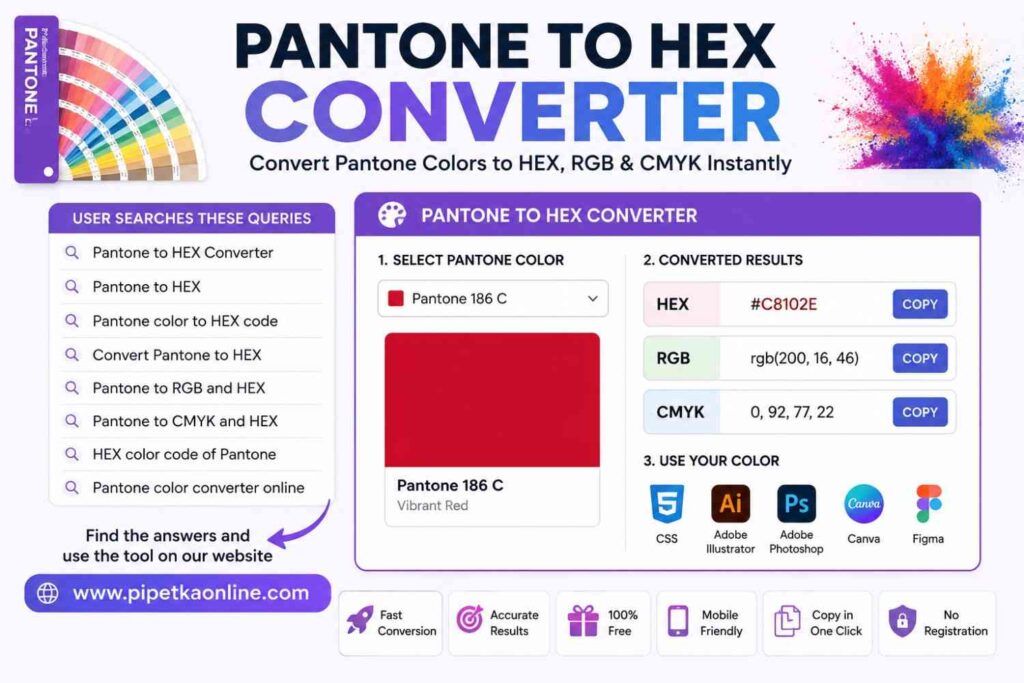
Select a Pantone color and instantly get its HEX, RGB, and CMYK values.
Pantone
HEX
RGB
CMYK
What Is a Pantone to HEX Converter?
A Pantone to HEX Converter is a tool that changes a Pantone color into its closest HEX color code. Pantone colors are widely used for printing, packaging, product branding, and logo design, while HEX codes are the standard for websites, mobile apps, and digital interfaces. This converter helps you use the same brand color across both print and digital projects. For example, a company may choose a Pantone color for its logo so every printed brochure, business card, or product package looks the same. When that logo is added to a website, the designer needs a HEX color code instead of a Pantone reference. A Pantone to HEX Converter provides that matching value in seconds, saving time and reducing manual work.
Check More Color Tools:
What Is a Pantone Color?
A Pantone color is a standardized color from the Pantone Matching System (PMS). Instead of mixing colors by eye, designers, printers, and manufacturers use Pantone codes to ensure consistent results. Whether a project is printed in one country or another, the same Pantone color is intended to produce a similar appearance.
What Is a HEX Color Code?
A HEX color code is a six-character code used in HTML, CSS, and other web technologies to represent colors on digital screens. It always begins with a # symbol followed by six letters or numbers.
For example:
#005EB8– Blue#C8102E– Red#009A44– Green
Web developers use these codes to style buttons, text, backgrounds, icons, and other website elements.
Why Convert Pantone to HEX?
Designers often work on projects that need to look consistent in both print and digital formats. A Pantone color cannot be used directly in a website’s CSS, so it must be converted to a HEX value.
A Pantone to HEX Converter helps you:
- Match brand colors across print and digital media.
- Create consistent website and marketing designs.
- Save time by avoiding manual color matching.
- Use colors in Adobe Photoshop, Adobe Illustrator, Figma, Canva, and web development projects.
- Generate accurate color values for HTML and CSS.
Why Use Our Pantone to HEX Converter?
Our Pantone to HEX Converter is designed for designers, developers, marketers, and print professionals who need fast and reliable color conversions. Whether you’re creating a website, designing a logo, or preparing artwork for print, this tool helps you work more efficiently with accurate color values.
Fast Conversion
Convert Pantone colors into HEX, RGB, and CMYK values in seconds without manual calculations.
Accurate Results
Get consistent color values that help maintain your brand identity across digital and print projects.
Free Online Tool
Use the converter anytime from your browser. No software installation or subscription is required.
Mobile Friendly
The responsive design works smoothly on desktops, tablets, and smartphones for quick color conversions anywhere.
Copy in One Click
Copy the converted HEX, RGB, or CMYK values instantly and paste them directly into your project.
Adobe Compatible
Use the converted color values in Adobe Photoshop, Adobe Illustrator, and other Adobe Creative Cloud applications.
Works with Canva & Figma
Copy your HEX color into Canva or Figma to keep your digital designs consistent.
No Registration Required
Start converting colors immediately. There is no sign-up, login, or account creation needed.
How to Use the Pantone to HEX Converter
Our Pantone to HEX Converter makes it easy to find the matching HEX, RGB, and CMYK values for your Pantone color. Follow these five simple steps to convert colors for websites, branding, and print projects.
Enter Your Pantone Color Code
Select your Pantone (PMS) color from the list. Choose the color you want to convert for web or digital design.
Click the Convert Button
Press Convert to instantly generate the closest HEX, RGB, and CMYK color values.
View the Color Results
Your converted color appears immediately with a live preview, including HEX, RGB, and CMYK values.
Copy the Color Code
Click the Copy button to copy the HEX, RGB, or CMYK value. Paste it directly into your project without typing it manually.
Use It in Your Design
Use the converted color in CSS, Adobe Photoshop, Adobe Illustrator, Canva, Figma, or your print workflow.
Pantone vs HEX vs RGB vs CMYK
Each color format has a different purpose. Pantone is best for professional printing, HEX is used for websites, RGB powers digital screens, and CMYK is the standard for full-color printing. The table below explains the differences.
| Color Format | Best For | Example | Used In |
|---|---|---|---|
| Pantone (PMS) | Brand Colors & Spot Printing | Pantone 186 C | Logos, Packaging, Business Cards |
| HEX | Web Design | #C8102E | HTML, CSS, Websites |
| RGB | Digital Displays | RGB(200, 16, 46) | Apps, Monitors, Mobile Screens |
| CMYK | Professional Printing | C:0 M:92 Y:77 K:22 | Flyers, Brochures, Posters |
Frequently Asked Questions
A Pantone color is a standardized color from the Pantone Matching System (PMS). Designers, printers, and manufacturers use Pantone colors to keep brand colors consistent across printed materials.
Our converter provides a close digital match for most Pantone colors. Because Pantone is a print color system and HEX is designed for digital screens, small visual differences may occur.
Yes. The converter displays the matching RGB values along with the HEX and CMYK color codes, making it easy to use colors in digital projects.
Yes. The tool also provides CMYK values, which are commonly used for professional printing, brochures, packaging, flyers, and marketing materials.
Yes. Our online converter is completely free to use. There are no downloads, subscriptions, or registration requirements.
Digital screens use RGB light, while printers use CMYK ink. Differences in monitors, printers, paper, and color profiles can cause colors to appear slightly different.
No. CSS does not support Pantone colors directly. You should convert the Pantone color into a HEX value before using it in HTML or CSS.
This converter supports common Pantone color references. Support for specific libraries, such as Pantone Solid Coated and Pantone Solid Uncoated, depends on the available color database.